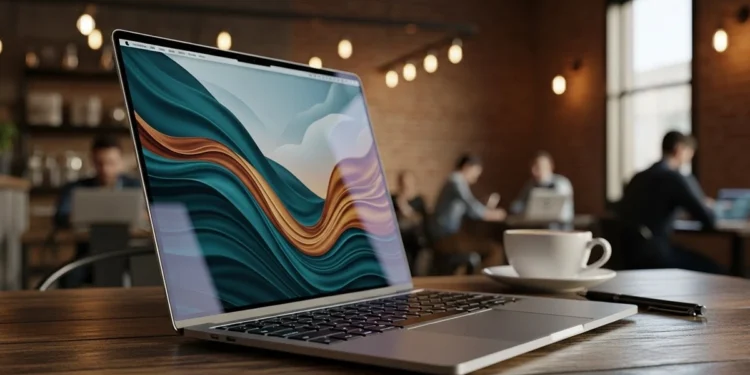
Manufacturers want you to believe that “thin” is a personality trait for high-end hardware. They sell the idea of a machine that weighs nothing and does everything. I’ve spent years watching people buy into this marketing cycle only to realize they bought a very expensive paperweight. The 2025 MacBook Air 15-inch with the M4 chip is the latest entry in this high-stakes game.
It looks like a masterclass in industrial design on the surface. You get that slim profile and the beautiful 15.3-inch Liquid Retina display. But underneath that aluminum shell sits a fanless architecture that ignores the laws of physics. I’m here to tell you why the M4 speed you’re paying for might be an illusion.
The Fanless Trap Why Silence Is Not A Technical Win
Apple loves to brag about the silence of the MacBook Air. They frame the lack of a fan as a luxury feature for focused work. In reality, it’s a massive thermal bottleneck disguised as a design choice. Technical testing from Ars Technica confirms that while the M4 is fast in bursts, it slows down significantly during long-running tasks like video encoding.
When you start a heavy task, the M4 chip is undeniably fast. It handles initial bursts of activity with impressive speed. However, after ten minutes of intense processing, the MacBook Air M4 thermal reality kicks in. The system forcedly slows down the clock speed to prevent the hardware from melting.
This is called thermal throttling. You are essentially paying for an M4 chip but only getting its full power in short, unreliable bursts. For a machine that starts well over $1000, this inconsistency is a frustrating tax on your productivity. If your work involves long video renders or complex compiles, this silence will eventually sound like wasted time.
Why 16GB Is The Bare Minimum Not A Luxury
I’ll give Apple credit for one thing in 2025. They finally stopped trying to sell us 8GB of RAM as a “Pro” experience. This unit comes with 16GB of Unified Memory out of the box. While the marketing makes this sound like a generous upgrade, it’s actually the baseline for survival in 2026.
Modern apps and AI tools are memory-hungry beasts. Even with the efficiency of the M4, a lower memory ceiling would turn this machine into a stuttering mess. The 16GB of RAM is what makes this a functional tool for multitasking. Don’t let the “Supercharged by M4” stickers fool you into thinking this is a workstation.
The 512GB SSD is also a necessary floor for anyone doing real work. Apple’s lower-tier storage options are notoriously slow and fill up in a week. Having 512GB gives you enough breathing room to avoid the external drive shuffle for a few months. But again, you are paying a premium for specs that should be standard at this price point.
If you are worried about rising hardware costs, see my analysis on how new tariffs are affecting technology prices and what it means for your next upgrade.
The 15 Inch Paradox Large Screen Versus Thermal Logic
The 15.3-inch Liquid Retina display is the primary reason people look at this model. It’s a gorgeous panel with 500 nits of brightness and great contrast. Having that extra screen real estate makes a huge difference for spreadsheets and timeline work. But this large screen creates a technical contradiction that many buyers overlook. Even the new ‘Sky Blue’ finish is a bit of a letdown. It looks almost like silver in most lighting and lacks any real visual punch.
A larger chassis usually means more room for heat dissipation. But because Apple refuses to add a fan, the extra surface area doesn’t solve the thermal problem. You’re carrying a larger, heavier device that still has the same thermal limitations as the smaller model. It’s a “Big Air” that still can’t handle a “Big Load.”
If you’re buying this for the screen, it’s a solid win. The text is crisp and the 1 billion colors make your work look professional. Just don’t confuse visual quality with processing endurance. This is a consumption machine that is trying very hard to look like a production machine.
If you want to maximize this screen real estate, see my guide on whether a curved gaming monitor actually improves your field of vision or if it is just more marketing fluff.
Apple Intelligence And The AI Tax On Battery Life
Apple is pushing their “Apple Intelligence” suite as a reason to upgrade. They claim the M4 is built specifically for these proactive tools. In my interactions, these features are helpful but they come with a hidden cost to your battery life over time. Reports from Rueters suggest that running local AI models is a power-intensive task that generates even more internal heat.
The marketing promises 18 hours of battery life. That number is based on light web browsing and video playback. Once you start leaning on the M4’s Neural Engine, that battery percentage drops significantly faster. It’s still better than most Windows laptops, but it’s not the infinite power source the ads suggest.
You also have to consider the long-term health of the cells. Heat is the primary killer of lithium-ion batteries. A fanless laptop that runs hot every day is a ticking clock for your battery capacity. By year three, you might find that “18-hour” battery only gives you six or seven hours of real-world use.
Portability Versus Utility The Connectivity Struggle
The MacBook Air M4 features two Thunderbolt 4 ports and a MagSafe charging port. It’s a clean setup, but it’s also annoyingly restrictive for a “Pro” level price. You’ll likely need a dongle or a dock if you want to connect more than one external display and a couple of peripherals. You can now support two external 6K displays, but only if you’re willing to clog up both ports. Apple still refuses to include ProMotion 120Hz screens here, keeping that fluid motion locked behind the more expensive Pro models.
I appreciate the MagSafe port because it saves your Thunderbolt ports for data. It also prevents the laptop from flying off a desk if someone trips over the cord. But the lack of an SD card slot or an HDMI port on a 15-inch machine is a missed opportunity for value. Apple wants you to spend even more on accessories to make the machine functional.
The 12MP Center Stage camera and the six-speaker system are genuine highlights. The new 12MP Center Stage camera is a genuine highlight. Your video calls will look sharp and the motion tracking actually works well. These are the “quality of life” features that make the daily grind more tolerable. Just remember that a good webcam doesn’t help you render a 4K video any faster.
Is Your Investment Respected
So, is the Apple 2025 MacBook Air 15-inch a smart investment? It depends entirely on your definition of “work.” If you are a writer, a student, or a manager who lives in Chrome and Slack, this is a technical win for portability. It’s fast, the screen is incredible, and the 16GB of RAM keeps things fluid.
However, if you are a creator or a power user, this machine is a thermal risk that doesn’t respect your money. You are paying for the M4 chip’s peak performance but you’ll rarely see it during a sustained technical task. The lack of a fan is a fatal flaw for anyone who needs consistent power over long periods.
My final take is simple. Don’t pay for the 15-inch screen if you actually need 15-inch performance. You would be better off looking at a MacBook Pro with active cooling or sticking to the 13-inch Air to save cash. The MacBook Air M4 thermal reality is that “thin” has a very real performance price.
Check the current availability of the MacBook Air M4 here to see if the pricing finally matches the performance.
Apple MacBook Air
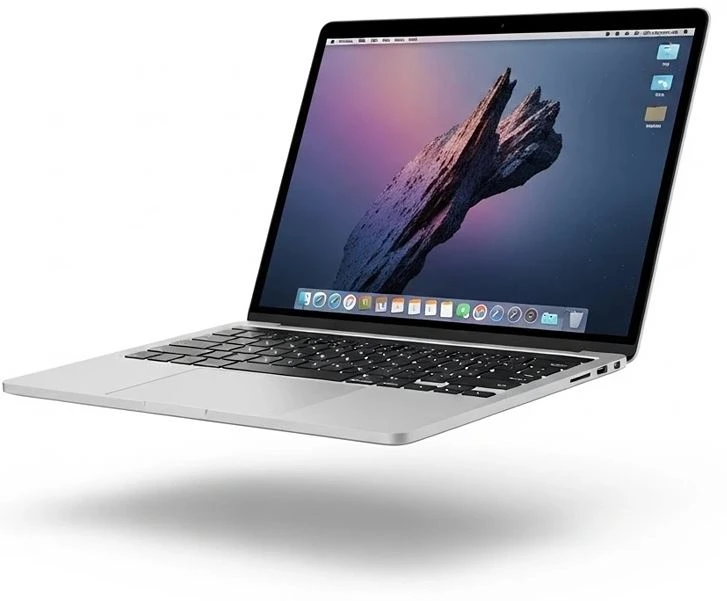
Apple MacBook Air
M4 Chip/512Gb SSD