Human stress point of local AI
Most people hear about running AI locally, get excited, and then slam into a wall of confusion about model sizes, VRAM limits, and hardware they already own. The result is often a pile of wasted time, a noisy box in the corner, and workloads that still fall back to the cloud because the local setup was never matched to the real use case. That mismatch between enthusiasm and practical planning is what quietly kills a lot of local AI projects before they ever feel useful.
A smarter path starts with admitting that local AI is not “free horsepower” you unlock by installing a few tools on whatever GPU happens to be in the house. The decision has to connect what the work actually is, which models can realistically handle that work, and what hardware can feed those models without choking. When those three pieces line up, local AI can feel like cheating in the best way, because latency drops, privacy improves, and long‑term costs often look saner than paying for every single token. When they do not line up, local AI turns into a hobby project that quietly gathers dust.
Why the local AI movement exists
Local AI is not just a trend driven by hobbyists who like to tinker with hardware for its own sake. The shift has been building because people who run real workloads keep running into the same pain points with cloud‑only AI access. Those pain points focus on privacy, latency, cost predictability, and control over how models are updated or turned off. Each one pushes a different group of users to ask whether they can bring at least part of their AI stack in‑house instead of trusting a remote endpoint for everything.
Privacy is the first and loudest driver for a lot of professionals. Sensitive drafts, internal documents, or regulated data sets simply do not belong in a shared service where policies can change overnight or logs can be retained longer than anyone expects. Running models locally does not magically solve compliance, but it reduces the number of copies floating around and keeps raw inputs closer to home, which matters when leaks or subpoenas become real risks. That shift from blind trust toward controlled exposure is one of the main reasons security‑minded teams keep experimenting with local deployments.
Latency sits in second place but feels just as painful when tasks are interactive. Waiting through network hops and rate limits for every prompt response breaks flow, especially during exploratory work where people fire a lot of small queries in a short session. A capable local setup can respond quickly enough that experimentation feels like working with a powerful desktop application instead of a remote service that may or may not respond smoothly. When that responsiveness is achieved without sacrificing output quality too severely, it changes how people integrate AI into day‑to‑day tools.
Cost and control round out the picture in a way that is often underappreciated from the outside. Cloud pricing looks simple at first and grows complicated as usage ramps across teams and projects. A local stack has real up‑front costs in hardware and power, yet it becomes more attractive when workloads are steady and predictable because those costs are easier to budget once the machine is bought. Control over model versions, fine‑tuning workflows, and the timing of upgrades becomes another quiet advantage when product teams do not want their behavior to change based on a provider’s unilateral decisions. For readers who want to see how senior leaders frame these decisions at a higher level, you can point to an external resource such as AI strategy playbook for senior executives, which shows how an organization‑wide AI plan can align with practical choices about where local workloads should live.
When local AI actually makes sense
Not every AI workload benefits from running locally, and pretending otherwise leads to bad investments. The clearest wins show up when the work is repetitive, data‑sensitive, and limited enough in complexity that it can be handled by small or mid‑sized models without needing a data center class rig. Tasks in this category include code assistance on private repositories, document summarization on internal archives, and domain‑specific chat assistants that mainly reference known material rather than the entire public internet.
Local AI also shines when resilience matters more than raw scale. A small team that wants AI help inside a lab, a workshop, or a field location with unreliable connectivity gains a lot from being able to keep an on‑prem model running even when external services are unreachable. In those settings, the priority shifts away from chasing the absolute largest benchmarks toward ensuring that something reliable is always available, even if the model is smaller. That trade‑off is much easier to justify when the work mostly lives inside a bounded context.
The workloads that do not fit local AI well tend to involve large‑scale training, massive context windows, or spikes of usage that would demand more hardware than any single workstation can reasonably host. Video‑heavy pipelines, broad web‑scale retrieval, and real‑time personalization across millions of users still lean heavily toward cloud infrastructure. The key is to recognize that local AI is strongest when it handles well‑scoped, repeatable tasks that benefit from privacy and low latency, while the largest and most bursty workloads remain better served by shared infrastructure.
Alongside these boundary lines, you can send readers who want a more actionable next step toward a local AI starter configuration guide that walks from use case to concrete build, while offering a separate balanced local‑and‑cloud workflow design guide for people who prefer to keep heavier lifting in the cloud and only localize the most sensitive workflows.
How to think about model choice for local AI
Choosing a model for local AI is less about chasing the most impressive leaderboard scores and more about matching the model’s size and strengths to a specific job. Model families come in different parameter counts, context window lengths, and training focuses, each of which changes the hardware requirements in ways that matter once everything has to fit inside a single machine. A model that looks attractive on paper can turn into a problem if its memory footprint forces the system to swap constantly or if generation times slow down enough to feel sluggish.
The first cut is usually parameter count and quantization. Larger models capture more nuance but demand more VRAM and RAM, while smaller models respond faster and run on more modest hardware at the cost of some accuracy and generality. Quantized variants reduce memory pressure by storing weights in fewer bits, which lets mid‑range GPUs handle models that would otherwise be out of reach. That trade‑off is usually worth making for interactive local use because small numerical compromises do less harm than constantly waiting for tokens to appear or watching the system thrash.
Task fit matters just as much as size. General‑purpose models work adequately for broad question answering and basic writing but may lag behind more specialized options for code, math, or tool‑calling scenarios. When the workload skews toward one of those niches, it often makes sense to pick a slightly smaller model that was trained or fine‑tuned for that purpose instead of a larger, generic one. That choice keeps hardware demands in check while still improving perceived quality because the outputs align better with user expectations for that domain.
Context window and memory behavior form the last major pillar for local deployments. A wide window allows larger documents or multiple files to be fed into the model at once, yet every jump in context surface pushes memory needs upward. When a user tries to stretch both model size and context at the same time, the system rapidly bumps into hardware ceilings. A more grounded strategy starts by deciding how long the typical prompt and reference material need to be for the primary use case and then selecting a model that balances that requirement with a realistic view of available VRAM and RAM.
For readers who want more structure around these choices, you can send them to a local AI model and quantization reference guide that catalogs model families, common quantization levels, and typical memory footprints for different workloads, and complement that with local AI hardware performance benchmarking on consumer‑grade systems to see how different machines behave under real LLM and generative workloads.
Hardware realities behind local AI
Hardware is where optimistic expectations collide with physics and budgets. Running modern models locally takes more than a spare gaming GPU and wishful thinking because VRAM capacity, memory bandwidth, system RAM, storage performance, and thermals all interact under load. Local AI feels smooth when each of those pieces has enough headroom to keep the model resident in memory, respond quickly to new prompts, and avoid overheating after long sessions. It feels frustrating when any one link in that chain becomes a bottleneck.
VRAM is the first hard constraint most users hit, because model weights and intermediate activations need to live there for efficient inference. Eight gigabytes is enough for very small and heavily quantized models, which can still be useful for narrow tasks, but it starts to feel cramped as soon as people expect richer reasoning or longer context windows. Twelve to sixteen gigabytes opens up a wider set of options, while anything above that moves into a category better suited for people who know they will be running multiple models or pushing larger workloads. It is important to match expectations to these limits so the machine is not asked to do more than its memory can realistically support.
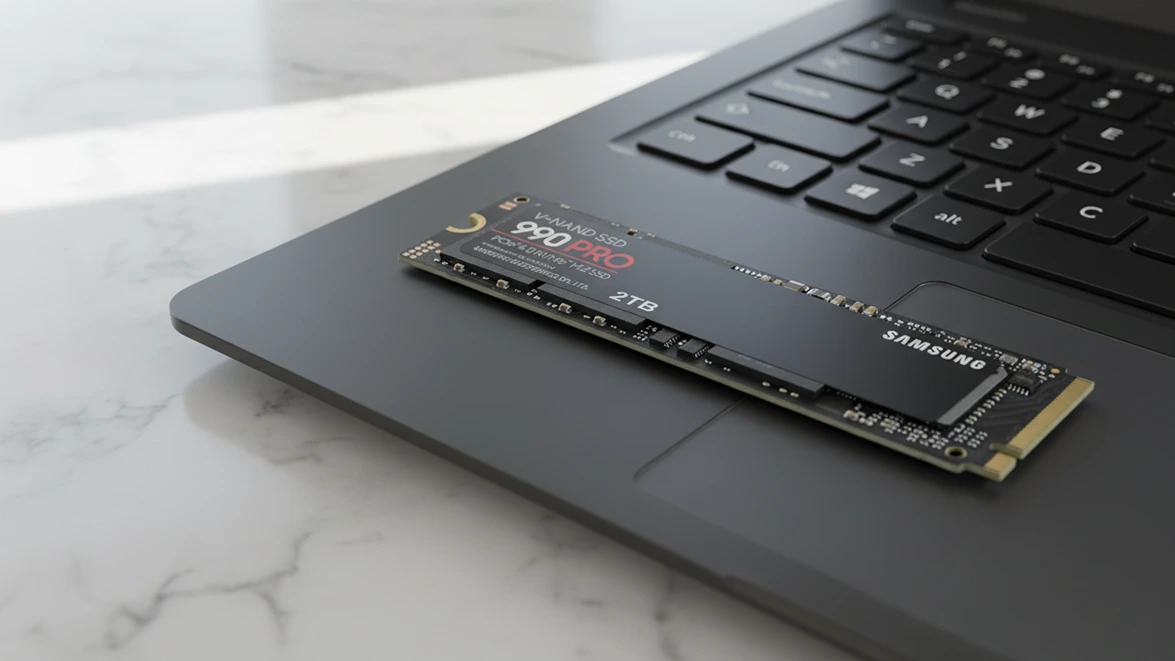
System RAM and storage speed follow closely. When VRAM runs short, some setups offload parts of the workload into system memory, which slows everything down but can still work if that memory pool is large and responsive. A machine with limited RAM ends up fighting constant swapping, where the operating system shuffles data to and from disk just to keep the model alive. Fast solid‑state storage helps when models need to be loaded or switched frequently, yet no amount of storage performance fully covers for insufficient memory. Planning a local AI build means thinking about how much model switching and context loading will happen and then sizing RAM and storage with that pattern in mind.
Thermals and power use define how sustainable the setup feels over time. A machine that keeps models running only by blasting fans at full speed and pulling high power for hours can quickly turn into something people hesitate to use, especially in a home or small office. Good airflow, reasonable power draw, and chassis choices that keep noise at tolerable levels are not vanity details; they influence whether the system is used daily or only when absolutely necessary. Local AI that becomes physically annoying to live with tends to be sidelined even if the raw performance looks good on benchmarks. For readers who prefer to start from a pre‑packaged stack instead of assembling every component by hand, you can reference a self‑hosted AI starter kit from n8n as an example of a Docker‑based environment that combines local models, orchestration, and storage into a single deployable setup once suitable hardware is in place.
For readers who want examples of hardware combinations matched to specific budgets and workloads, you can then link to a local AI hardware build guide by budget and workload, and for those comparing options, a local versus cloud AI workload comparison guide that shows how similar tasks behave on modest local rigs versus cloud‑hosted setups.
Matching model and hardware to real workloads
The fastest way to disappoint yourself with local AI is to buy hardware first and figure out the workloads later. A better approach starts by listing the top tasks that genuinely matter, along with a rough sense of how often they happen and how sensitive they are to privacy, latency, and accuracy. That list becomes a filter for both models and hardware because it clarifies which tasks deserve priority and which ones can stay in the cloud without hurting anyone.
From that starting point, the next step is to pair each primary task with a realistic model profile. A small coding assistant that mainly handles private repositories might be served well by a quantized, code‑focused model that fits comfortably into mid‑range VRAM. A document analysis assistant for multi‑hundred‑page reports could demand a model with a wider context window and more memory, even if it runs a little slower. A home assistant that blends multiple skills in one pipeline might benefit from a chain of smaller models rather than a single, monolithic one. Those patterns drive the minimum acceptable specs rather than the other way around.
Only after those mappings are sketched should hardware decisions become concrete. If every high‑priority task fits inside modest models and moderate context windows, there is little reason to chase expensive GPUs or workstation‑class rigs. When some tasks demand larger context or more complex reasoning, the question becomes whether to scale the local machine, offload those specific tasks to the cloud, or redesign the workflow so the local system handles pre‑processing while heavier lifting happens elsewhere. Each option carries costs, and those costs need to be weighed against how often the demanding tasks appear in real work.
At this point it is natural to send readers toward open source local AI coding models for privacy speed and control if their primary interest is code assistance on private repositories, and toward how to run AI models locally tools setup and tips if they want a detailed, step‑by‑step walkthrough of installing runtimes, managing dependencies, and wiring local models into real workflows on a single consumer machine.
Cost, power, and long term trade offs
Local AI looks cheaper than cloud at first glance because there is no per‑request invoice showing up each month. That impression changes once hardware costs, electricity usage, and maintenance time are added up over a realistic period. A proper evaluation compares the total cost of ownership of a local machine against the expected cloud usage for the specific workloads in question, rather than assuming that one model will win across the board for everyone.
Hardware purchases are the most visible line item. A capable local AI rig with sufficient VRAM, RAM, and storage represents a real investment, even if some parts are already owned. Amortizing that cost across multiple years and multiple users makes the math kinder, but it also demands predictable usage that keeps the machine active enough to justify its presence. If the system ends up idle for long stretches, the effective cost per useful hour climbs, and a more modest setup would have made more sense. That tension between capacity and utilization mirrors the same questions data centers face, only on a smaller scale.
Power and cooling are quieter but persistent contributors. High‑end GPUs draw significant power, and the heat they generate has to be dealt with somehow, either by fans, better cases, or even air conditioning in smaller rooms. In regions with expensive electricity, that ongoing draw can add up, especially when models run frequently or sit idle in a way that still keeps the hardware warm. On the other hand, a carefully right‑sized configuration that avoids pointless overprovisioning can keep these hidden costs under better control without sacrificing the workloads that actually matter.
Comparing these local costs to cloud usage requires some honest tracking of how much work the models will do. Light or occasional usage, especially for non‑sensitive tasks, may remain more economical and simpler in the cloud. Heavy and frequent workloads with strong privacy needs lean toward local setups over time. Some teams find that the winning strategy is a hybrid, where a dependable local machine handles the most sensitive and frequent tasks while bursty or less critical work goes to shared infrastructure. Here it makes sense to offer a local AI total cost of ownership calculator that models multi‑year cost scenarios for different builds and compares them against representative cloud usage profiles.
When local AI is actually worth it
Local AI earns its keep when the models are chosen to match specific tasks, the hardware is selected with realistic workloads in mind, and the ongoing costs line up with how often the system will be used. In that scenario, latency improves, privacy risks shrink, and people feel comfortable leaning on the system as a reliable tool instead of a fragile experiment. When those conditions are not met, local AI tends to become a source of frustration that gets quietly abandoned in favor of whatever cloud option is easiest.
The decision is not about declaring local AI universally better or worse than hosted services. It is about recognizing where local deployments fit into a broader toolset. Teams that care deeply about data control and responsiveness stand to gain the most from bringing the right slice of their workloads in‑house. Others may find that a few carefully chosen local tasks plus a stable cloud arrangement give them the best of both worlds. In either case, the real benefit comes from alignment between models, hardware, and the everyday work people actually need to get done.
To help with that last step, you can point readers toward local AI hardware build examples for specific workloads so they can see concrete recipes, and toward a local AI versus cloud adoption playbook that helps them decide where local AI belongs inside a broader technology strategy.