Relying on software to guard a bank account is a massive gamble that most people lose. Digital thieves exploit the fact that common computers cannot verify the physical presence of a user.
Phishing attacks often bypass SMS codes and phone apps without triggering a single alert. A fake login page captures your one-time code in real-time and uses it to lock you out of your own account. Builders should study the FIPS 140-2 Level 3 standards to understand how physical tamper-resistance protects sensitive data.
Many people mistake a complex password for a real defense while their files stay vulnerable on a connected hard drive. Moving your cryptographic secrets to a separate physical chip removes the risk of a silent digital theft. Hardware Security Keys stop a remote attacker from accessing your life without holding the actual hardware.
Software authentication creates a direct path for digital thieves
Every calculation happens inside the microcontroller rather than on the main processor of your computer. This isolated architecture keeps your sensitive credentials away from the reach of malicious background scripts. These hidden scripts monitor your screen and your keyboard to steal information as you type.
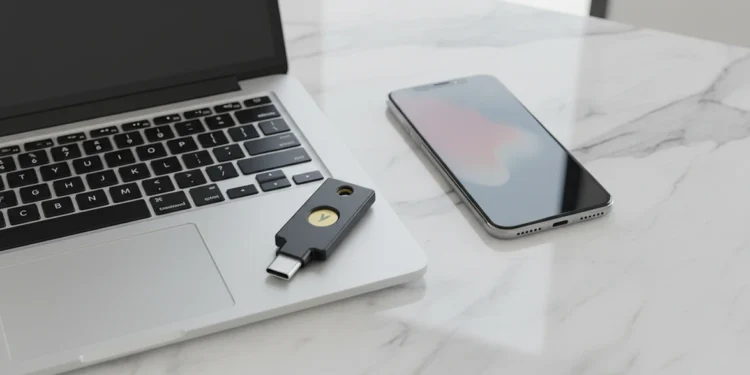
The YubiKey 5C NFC uses an isolated microcontroller to manage credentials in a secure environment. Physical touch is required to authorize every login attempt on your accounts.
Security keys force a manual finger tap to authorize your logins
An attacker might steal your password but they cannot simulate the tap of a finger on a piece of metal. This simple requirement destroys the effectiveness of automated hacking tools. Hardware-backed security fixes the flaw of remote access through a challenge-response protocol.
The hardware verifies that the website is legitimate before it releases any information to the network. You cannot accidentally give away your identity to a clone of your banking site. Firmware isolation protects the internal logic of the chip from external interference.
Cold storage hardware protects your sensitive offline files
Protecting your logins is only the first step in a complete security plan. Moving sensitive financial documents to a SecureData SecureUSB DUO provides a physical PIN pad to lock your files away from the network.
This hardware includes a self-destruct feature that wipes the data after too many failed login attempts. It supports various computer systems and works without an active internet connection to keep your backups safe. Keeping your digital backups on an encrypted stick makes sure that your files remain invisible to remote hackers.
Proper security requires a significant initial investment of time
Real security comes with physical trade-offs and minor frustrations that the average person avoids. Managing a physical object remains a constant burden in a world built for convenience.
Initial setup requires an investment of time for every account you own. You will spend an hour clicking through settings on Google and your password manager. This process is tedious but necessary for anyone who wants to protect their digital life from remote intruders.
Durable hardware justifies the cost of identity protection
The crush-resistant body of the YubiKey 5C NFC handles daily abuse on a keychain. This hardware does not require a battery or an active internet connection to function.
Durability makes it a more reliable tool than a smartphone that can break or run out of power. Versatility across USB-C and NFC makes sure that your digital footprint stays protected on any modern laptop or phone. Investing in two keys is the only smart way to implement this system because a single unit becomes a point of failure if lost.
Physical locks provide the only defense that works
Evaluating the YubiKey 5C NFC hardware results leads to total protection while the Google Titan security key offers a basic backup. This choice determines whether you control your identity or whether a remote criminal determines your future.
Identity management is a personal responsibility that no corporation can handle for you. The hardware puts the control back into your physical possession. Smart individuals take their secrets off the network before a hacker finds them to stop the inevitable loss of data.
Security Hardware
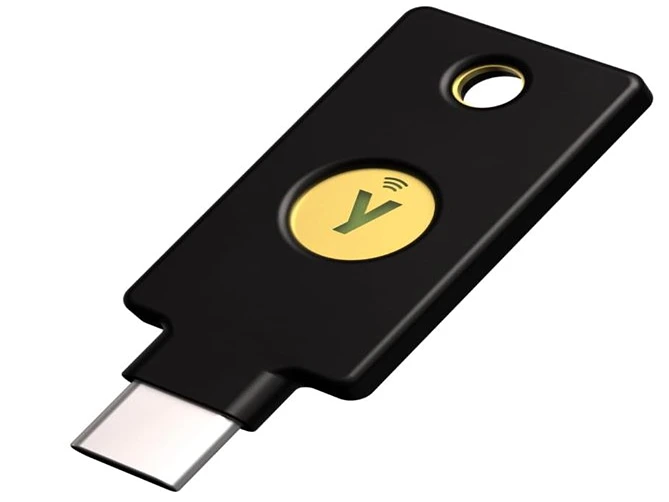
YubiKey 5C NFC
Certified (MFA) Security Key and Passkey