The RTX 3060 12GB still earns its slot in the case
Wasted money on upgrades that do not move the needle leaves a bad taste, especially when a card already in the case quietly does what actually matters. The RTX 3060 12GB still handles everyday 1080p gaming and opens the door to practical local AI in a way many owners underestimate. Several years after launch, it remains a card that can rescue a budget, extend the life of an older build, and anchor a side rig without feeling like a stopgap. Power users who feel pressure to jump to the latest model often discover that this card already covers most of the work they truly do.
The RTX 3060 12GB entered the market as a mid‑range option rather than a halo product, yet the mix of cores, features, and memory gave it staying power. Twelve gigabytes of VRAM, support for modern APIs, and access to the same software ecosystem as higher‑tier cards keep it viable for current games and emerging local AI tools. Gaming expectations shifted toward higher resolutions and more aggressive visual effects, but the core experience most people want still sits at 1080p with stable frame rates and predictable behavior. That reality gives the card room to stay useful while newer hardware chases headline numbers at much higher prices.
Owners who bought a prebuilt system with this GPU often assume it now bottlenecks everything, especially after reading upgrade guides focused on top‑end hardware. In many cases the actual pain points come from limited system memory, slow storage, or a weak older CPU rather than the RTX 3060 itself, which makes a focused system tune‑up guide a more valuable first step than a GPU swap. When those bottlenecks are fixed, the card often feels newly alive and delivers enough performance that an immediate GPU replacement stops making sense. That dynamic is exactly where this card shifts from “old mid‑range” to “smart reuse candidate” in a carefully planned system.
1080p gaming remains the comfort zone
Most people care less about synthetic benchmarks and more about whether games feel smooth without turning into a blurry mess. The RTX 3060 12GB still delivers responsive 1080p gameplay in popular titles when paired with sensible settings and a reasonably modern processor. Esports and competitive games typically run at high frame rates with a mix of medium to high presets, which supports fast input response and clear motion. That profile already covers a large share of everyday use for players who spend most of their time in shooters, MOBAs, and similar titles.
Story‑driven AAA releases demand more from any mid‑range card, and this one is no exception. At 1080p, a balance of medium and selective high settings keeps visual quality strong without pushing the GPU into constant spikes or heavy stutter, which pairs well with a dedicated 1080p tuning guide for users who want exact slider examples. Heavy extras such as maximum ray tracing and ultra textures usually do not make sense here, but a tuned configuration often maintains a visually pleasing image while keeping frame times under control. The key is honest preset selection rather than blindly applying ultra because the game offers that slider.
Upscaling features give the RTX 3060 more breathing room than its raw power might suggest on paper. Tools such as DLSS can render at a slightly lower internal resolution while reconstructing a clean 1080p image that looks better than dropping every setting, so a separate DLSS and upscaling explainer becomes a natural companion to this card. That approach keeps edges sharp, reduces visible noise, and often raises average and minimum frames without asking the user to accept a muddy presentation. When framed this way, the card behaves like a stable daily driver for 1080p rather than a relic barely hanging on.
Owners coming from older GPUs often view the RTX 3060 as their first step into newer rendering features. When ray tracing features stay modest and are combined with sensible upscaling, the card can still demonstrate those effects without turning every scene into a slideshow, which aligns closely with external 1080p benchmark roundups that highlight this GPU as a capable mainstream option. That experience helps users understand what modern lighting and shadows look like while still allowing them to dial back options when a specific title hits too hard. The result is a flexible tool for exploring current games instead of a rigid on‑or‑off switch.
1440p requires careful expectations
Resolution bumps expose limits that raw spec sheets sometimes hide, and 1440p sits right on that fault line for mid‑range cards. The RTX 3060 12GB can handle 1440p in select games with tuned presets, but it no longer behaves like a set‑and‑forget solution at this higher resolution. Slower‑paced titles such as strategy games, lighter action games, and older releases often scale up well with medium settings and moderate upscaling. In those scenarios, users gain the benefit of a sharper image without suffering constant dips into uncomfortable frame rates.
Modern AAA releases with heavy effects tell a different story. At 1440p, demanding titles place enough load on the GPU that even medium settings can push performance into uneven territory, which is where a targeted 1440p settings cheat sheet helps owners decide when to chase resolution and when to prioritize fluid motion. Texture sizes, shadow quality, and post‑processing often require deliberate trimming to keep motion fluid and input responsive. Users who expect high refresh rates at 1440p with everything turned high will likely feel disappointed unless they are willing to compromise more than marketing materials suggest.
A flexible mindset produces better results than chasing one fixed target resolution. Many owners find that running some games at native 1080p on a 1440p monitor with good scaling, while reserving true 1440p for less demanding titles, delivers a consistent experience that mirrors guidance found in mainstream GPU comparison articles. That hybrid approach respects the strengths and limits of the RTX 3060 12GB instead of struggling to force every scenario into the same box. The card then feels like a competent generalist rather than a miscast high‑end performer.
This behavior lines up with broader guidance on mid‑range GPUs from current PC gaming breakdowns. External reviews that chart 1080p and 1440p results often place the RTX 3060 firmly in the “strong at 1080p, conditional at 1440p” tier, so linking to one of those data‑heavy pieces lets interested readers dive deeper while this guide remains focused on practical decisions. Those same sources usually highlight the card’s reasonable power draw and useful VRAM capacity, supporting the idea that 1440p should be treated as a bonus capability instead of a primary promise.
VRAM and local AI turn it into more than a gaming card
Twelve gigabytes of VRAM change what a GPU can do long after its pure frame‑per‑second ranking slips down the charts. Local language models, image generators, and other AI tools depend heavily on available video memory, and this is where the RTX 3060 often outperforms newer cards with smaller VRAM allocations. Smaller models that run poorly or refuse to load on 6 GB and 8 GB cards can become usable with more headroom, especially when batch sizes and context windows are tuned. That shift allows owners to experiment with on‑device tools instead of relying entirely on remote services.
Creators working with video timelines, 3D scenes, or high‑resolution image workflows benefit from the same memory advantage. The extra VRAM allows more complex assets, longer sequences, and denser layers before hitting the wall where the GPU struggles or falls back to painfully slow system memory, which pairs neatly with an internal guide on building a budget creator and AI workstation around this card. For someone editing 1080p content, building simpler scenes, or compositing still images, this can mean the difference between a responsive interface and constant lag. The card does not transform into a full professional workstation, but it stops small projects from feeling like a fight.
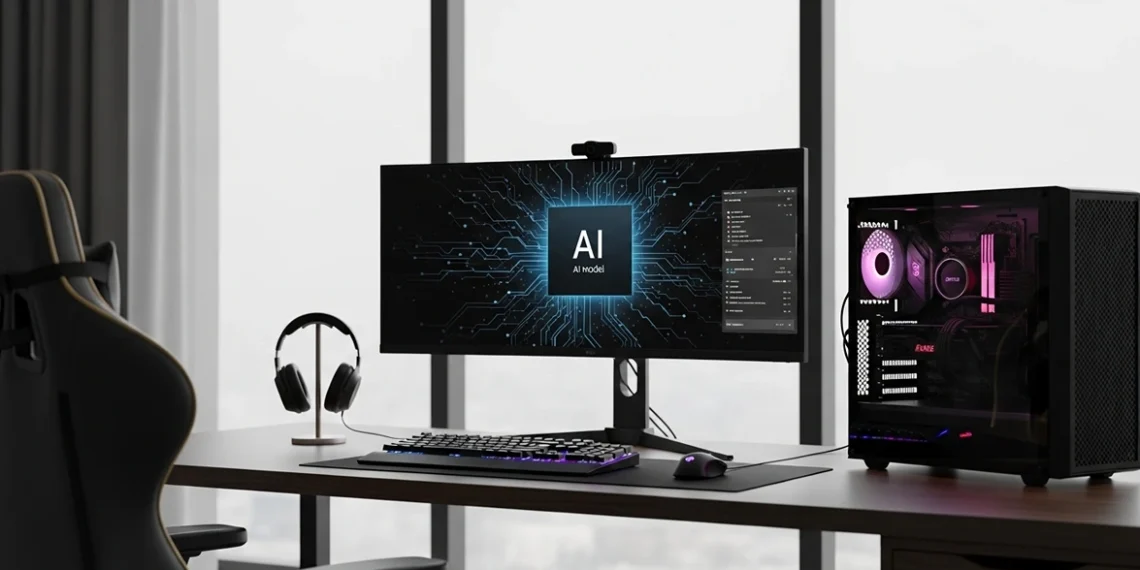
Practical local AI use still demands realistic expectations. Running compact language models or image generators at home on this card works best when the user accepts moderate model sizes and thoughtful parameter choices, a pattern that an in‑depth local AI setup walkthrough can illustrate step by step. The point is direct control, privacy, and experimentation rather than absolute throughput. This makes the RTX 3060 a strong candidate for a personal sandbox machine where ideas can be tested before anything is moved to more serious infrastructure.
Internal guides on building local AI rigs frequently highlight VRAM as a primary constraint rather than raw shader count. A practical build writeup that focuses on affordable AI setups will often place the RTX 3060 12GB alongside similar cards as a sensible entry point, while external explainers on VRAM limits for Stable Diffusion and small language models reinforce why 12 GB remains a useful threshold. External case studies from enthusiasts who repurpose this GPU into always‑on AI servers also help readers see what workloads feel comfortable and where the ceiling appears. Those perspectives support using this card as a bridge into AI and creative tooling rather than treating it as gaming‑only hardware.
How to decide between keeping, buying used, or upgrading
Confusion about upgrade timing often wastes more money than any single component choice. Owners already running an RTX 3060 12GB who mainly play at 1080p and want to experiment with local AI usually gain more from improving storage, memory, and cooling than from swapping the GPU, which is why a step‑by‑step upgrade priority guide pairs well with this discussion. Faster drives reduce load times, extra system memory supports heavier multitasking, and better airflow helps the card sustain its boost clocks. That combination often makes the system feel newly responsive while the GPU continues to do its job.
A used RTX 3060 12GB can be a smart move in the right price band. For someone building a secondary workstation, home server with a graphics slot, or dedicated local AI test box, this card offers a mix of acceptable gaming performance and usable VRAM that still compares well against many similarly priced alternatives. Careful buyers still need to watch for cards that lived hard lives in cramped prebuilts or mining rigs, but responsible inspection and testing reduce the risk. When the numbers line up, it becomes an efficient way to add GPU capability without burning budget on brand‑new hardware.
Clear reasons also exist to move beyond this GPU. Anyone focused on high refresh 1440p, heavy ray‑traced settings, or larger AI models that strain 12 GB of VRAM will feel constrained sooner rather than later, so a separate GPU comparison piece that contrasts the 3060 against newer mid‑range and upper‑mid‑range cards helps frame that decision. In those cases, stepping up to a more powerful and more memory‑rich option saves frustration, as long as the rest of the system can keep up. The decision revolves around actual workloads rather than vague urges to stay current.
Users unsure about their next move gain clarity by mapping their habits against real use cases. Someone who spends most of the week playing mainstream 1080p titles and occasionally generating images with local tools fits the profile where the RTX 3060 continues to make sense, while an aspiring creator targeting complex 4K timelines should allocate budget toward a stronger GPU, guided by an external mid‑range versus high‑end GPU buyer’s guide. Internal comparison pieces that stack this card against newer options help frame that decision with concrete examples. External benchmark collections provide additional context on where the 3060 now sits in the broader field of GPUs at different resolutions and workloads.
A practical path forward for balanced builds
Hardware decisions feel risky when every mistake looks like wasted money and every new product cycle adds fresh pressure. The RTX 3060 12GB reduces that anxiety for a large group of users by delivering reliable 1080p gaming, enough VRAM to run practical local AI tools, and a second life in secondary builds instead of an early retirement. Owners willing to tune settings and think about their actual day‑to‑day work often discover that this card already covers most of what matters. Chasing incrementally higher frame rates at the cost of cash and stability rarely looks attractive once the full picture is clear.
For anyone building or repurposing a system around this GPU, one sensible path is to keep it as the core of a balanced 1080p and local AI machine while watching prices and workloads mature. An internal local AI and creator build guide can show how to pair the RTX 3060 12GB with the right CPU, memory, and storage, while a separate GPU upgrade roadmap can outline what users gain when they eventually step up to newer cards, and external benchmark and AI‑focused articles can fill in raw performance data for readers who want the numbers. Together those resources allow readers to choose between staying with hardware that still earns its power draw or moving on when the time is right. That dual path respects different budgets and ambitions without pushing a one‑size‑fits‑all answer.
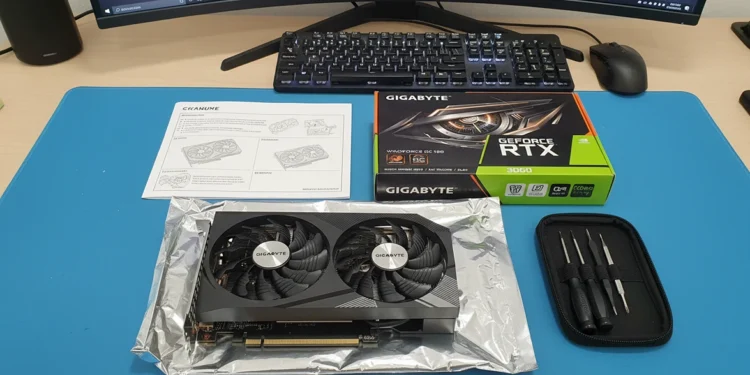
Gigabyte GeForce
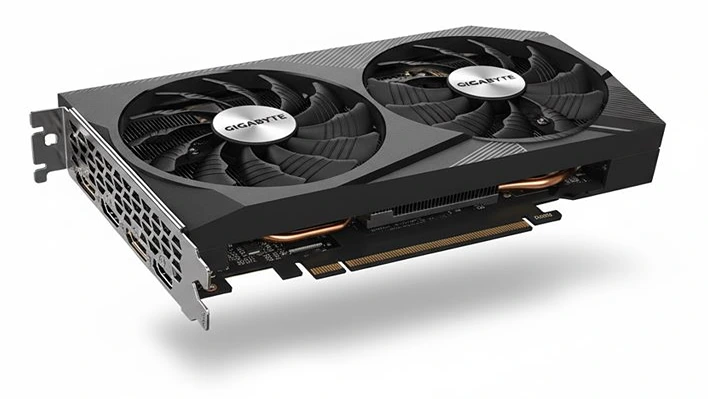
GigaByte GeForce
RTX 3060 WindForce