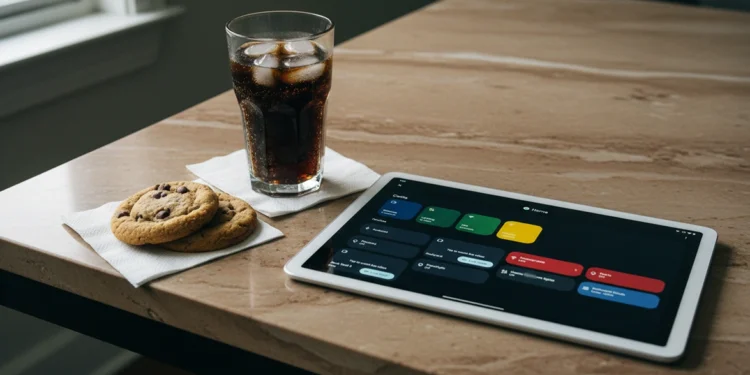
The drawer in most homes holds at least one forgotten tablet — too slow for gaming, too outdated for the latest apps, but still carrying a display that cost hundreds of dollars when it shipped. After personally repurposing legacy tablet hardware into a fully functional smart home dashboard, the manufacturers’ upgrade cycle argument collapses completely. Manufacturers count on consumers dismissing that hardware the moment a new model arrives. That dismissal is worth real money to them and costs real money to the consumer who replaces something that never actually needed replacing. The repurposed legacy hardware sitting idle in that drawer already has everything required to serve as a professional grade smart home command center.
Fragmented smart home ecosystems created this problem deliberately. Ring demands its own app, Honeywell Total Connect manages the thermostat through a separate interface, and the Onkyo receiver answers to a third platform with no native connection to either. Managing a home through three disconnected applications is not automation — it is digital housekeeping that benefits the corporation, not the household. Repurposed legacy hardware running a universal local dashboard collapses that fragmentation into a single interface without subscription fees, cloud dependency, or new hardware costs.
Repurposed Legacy Hardware and the Hidden Display Value
Most consumers evaluate old tablets by what they can no longer do rather than what they still do exceptionally well. A four year old iPad or Galaxy tablet that struggles with modern mobile games still carries a high resolution display, stable wireless connectivity, and enough processing power to render a local dashboard interface without difficulty. Those three capabilities are precisely what a Home Assistant smart home command center requires from the display hardware. The local hub handles all automation logic entirely, which means the tablet only needs to push pixels over a local network connection.
Removing the tablet from its original operating context is the shift that unlocks its remaining value. Screen sharing tools that attempt to extend a desktop to a secondary display often introduce lag and instability because they route data through software layers the tablet was never optimized to handle. A dedicated local dashboard bypasses that entirely by sending lightweight interface data directly to the tablet’s browser over the home network. That architecture puts almost no load on legacy processor hardware and keeps the display smooth regardless of the tablet’s age or original performance class.
How a Universal App Replaces Every Proprietary Platform
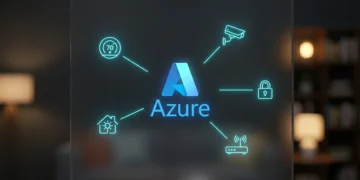
Home Assistant installs as a single application on a dedicated local processor and immediately begins scanning the home network for compatible devices. After personally completing this setup, Ring doorbells, Honeywell thermostats, Onkyo receivers, smart bulbs, and motion sensors across every protocol — Zigbee, Z-Wave, Matter, and Thread — appear in a unified device registry without requiring individual accounts or separate application logins. That consolidation happens entirely within the home network, which means no data leaves the premises and no corporate server mediates the connection between the dashboard and the hardware it controls.
The tablet accesses the Home Assistant interface through a standard browser pointed at the hub’s local IP address. That approach makes the specific tablet model irrelevant — an older iPad, a Galaxy Tab from several generations back, or any Android device with a functioning browser becomes a fully operational command center the moment it connects. Furthermore, processor architecture from legacy devices that would bottleneck a modern mobile gaming session handles local dashboard rendering without measurable performance degradation because the computational workload lives on the hub, not the display device.
Setting the tablet into kiosk mode locks the browser to the dashboard interface and prevents the device from drifting back into its original consumer function. A weighted charging stand keeps the display powered and accessible without degrading the battery through constant full charges. Smart plug automation manages charge cycles between twenty and eighty percent, which extends the tablet’s functional lifespan significantly beyond what standard always-on charging would deliver. That combination turns repurposed legacy hardware the upgrade cycle declared obsolete into a dedicated appliance with an indefinite operational runway.
Unifying Ring Honeywell and Onkyo Through One Interface
The integration architecture that makes repurposed legacy hardware functional as a unified dashboard does not require technical expertise beyond following a setup guide. Home Assistant’s onboarding process walks through device discovery, and most major consumer hardware including Ring and Honeywell appears automatically once the hub shares the same network. The Onkyo receiver connects through a local network integration that sends volume, input, and power commands directly to the hardware without routing through a cloud service. Within a single setup session the tablet displays thermostat controls, doorbell camera feeds, and receiver volume on one screen.
That unified interface eliminates the friction of managing separate applications for each device category. Adjusting the thermostat, checking who is at the door, and lowering the receiver volume before a video call previously required switching between three apps on a phone. On the local dashboard those three actions exist on a single screen that never requires an internet connection to function. Beyond that, the high resolution interface the tablet delivers makes the dashboard genuinely usable at a glance — the display quality that made the hardware worth buying originally becomes the asset that makes repurposing it worthwhile.
The Financial Case for Repurposed Legacy Hardware Over New Purchases
The upgrade cycle presents new hardware as the solution to every performance limitation, but most of those limitations are software driven rather than hardware driven. After personally stripping a legacy tablet back to a single dedicated dashboard function, the performance difference was immediate — a device that felt sluggish running a bloated mobile operating system rendered the local interface without hesitation. A tablet that feels slow running a bloated mobile operating system with background analytics consuming the majority of its resources performs entirely differently when its only task is rendering a lightweight local interface. Stripping the device back to a single dedicated function recovers performance that manufacturers actively obscure through software overhead designed to justify replacement purchases.
The cost comparison becomes stark when calculated honestly. A new dedicated smart home display from a major manufacturer carries a retail price between one hundred fifty and three hundred dollars before subscription fees. The local hub hardware required to power the Home Assistant installation costs significantly less and eliminates every recurring fee associated with the proprietary ecosystem it replaces. To understand how much of today’s new hardware pricing reflects trade policy rather than genuine component costs, the real cost of tech tariffs breakdown covers exactly how import duties inflate consumer hardware prices beyond their actual manufacturing value.